Digital educational ecosystem
PBL-Wiki
PBL-Wiki is the integrated ecosystem for project-based learning with contextual artificial intelligence across Wiki Central, CPS Studio, and Research Studio.
- Wiki Central
- Resources
- Research
- Contextual AI
- ABC×Bloom
PBL-Wiki unifies one ecosystem, three modules, and the full learning cycle
PBL-Wiki is not an isolated tool: PBL-Wiki is a complete pedagogical environment where teams produce in Wiki Central, design pedagogy in CPS Studio, and research with rigor in Research Studio, with contextual artificial intelligence at every step.
Three integrated modules
PBL-Wiki covers the 3 essential phases of the PBL cycle
Each PBL-Wiki module maps to a phase of project-based learning.
Module 1
Wiki Central
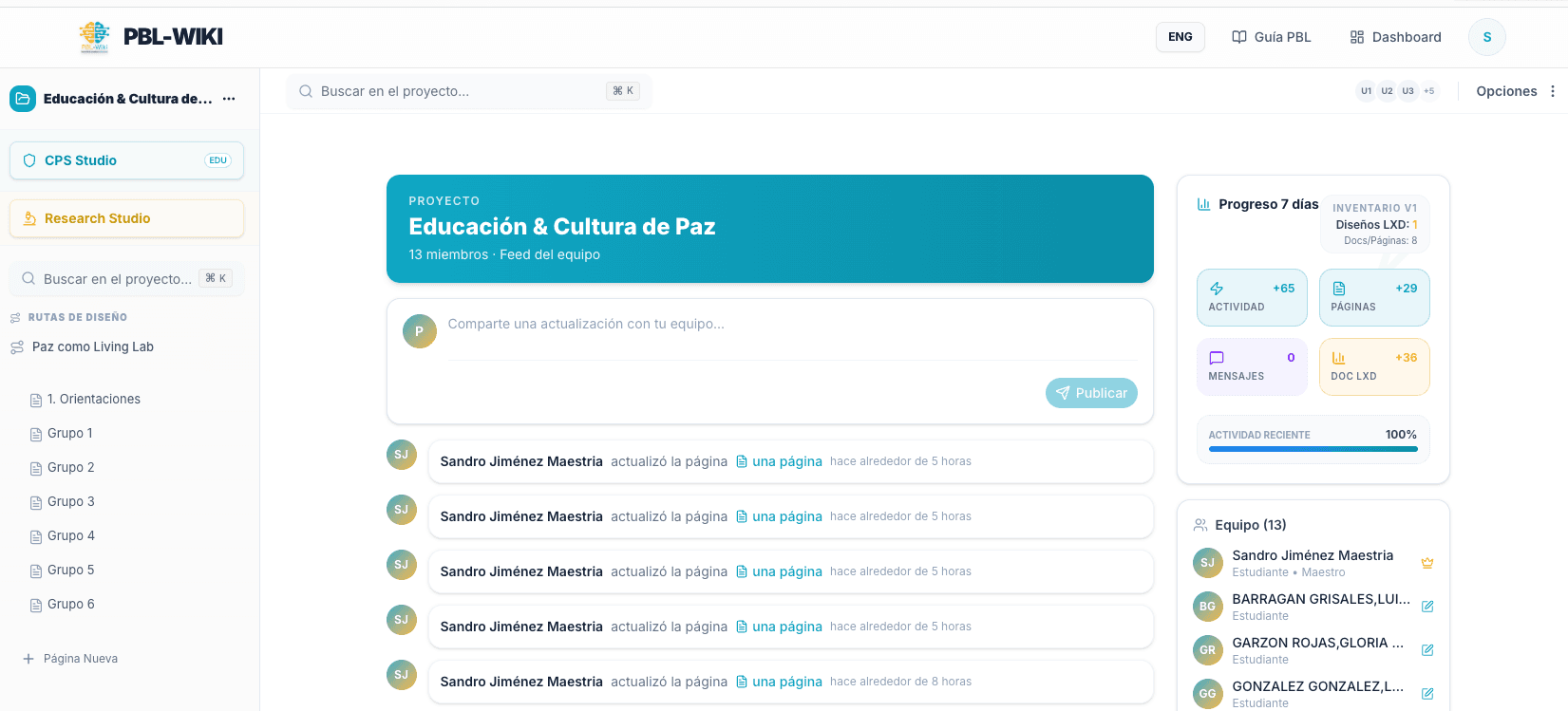
PBL-Wiki Wiki Central is the writing and documentation space with a rich editor, autosave, teacher review marks, and integrated Konectoma tutor.
Augmented writing · Project pages
Module 2
Resources
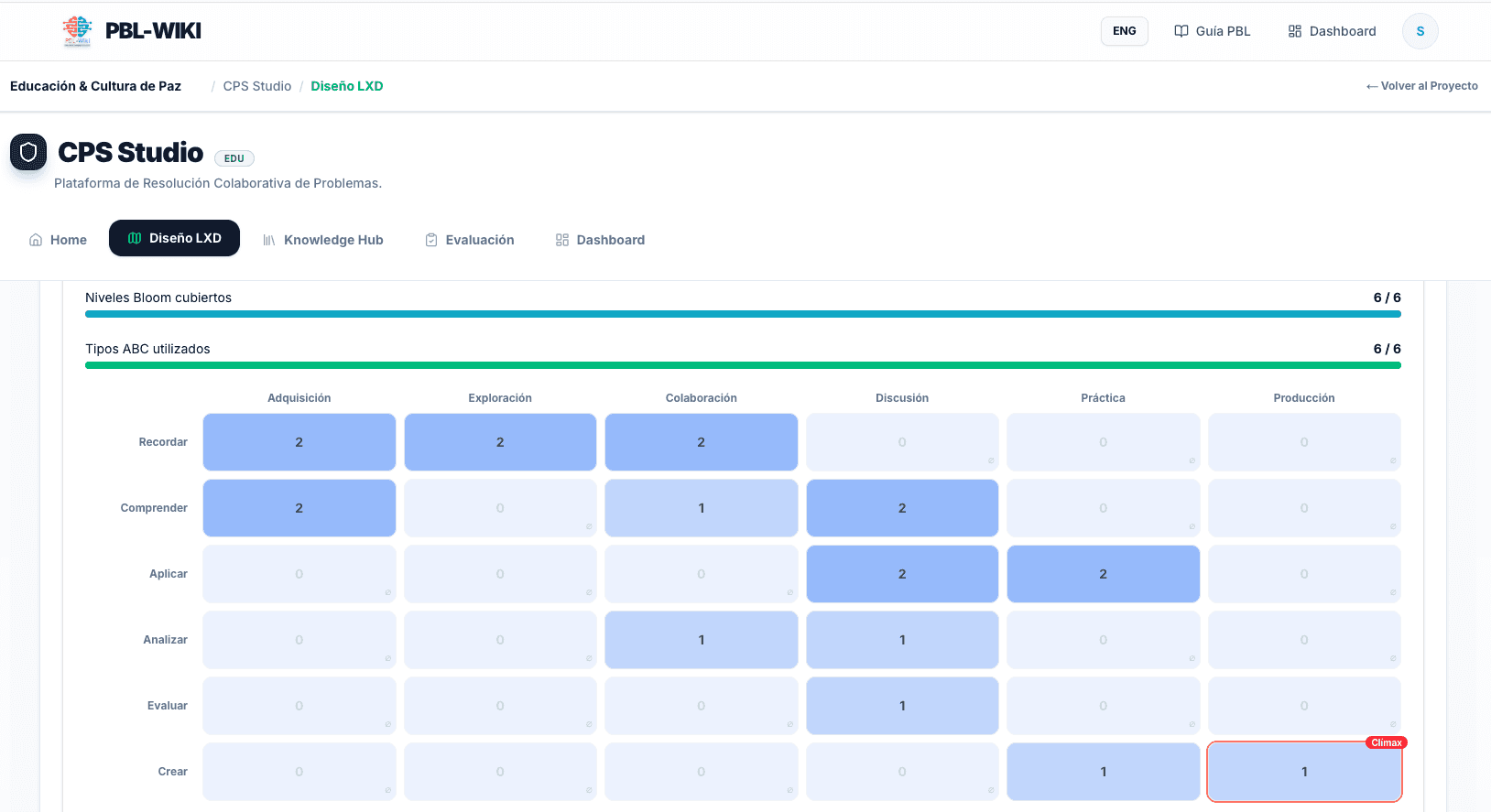
PBL-Wiki CPS Studio is the pedagogical lab for LXD pathway design with ABC×Bloom methodology, Knowledge Hub, and 360° progress evaluation.
PBL experience design · Blue sidebar button
Module 3
Research
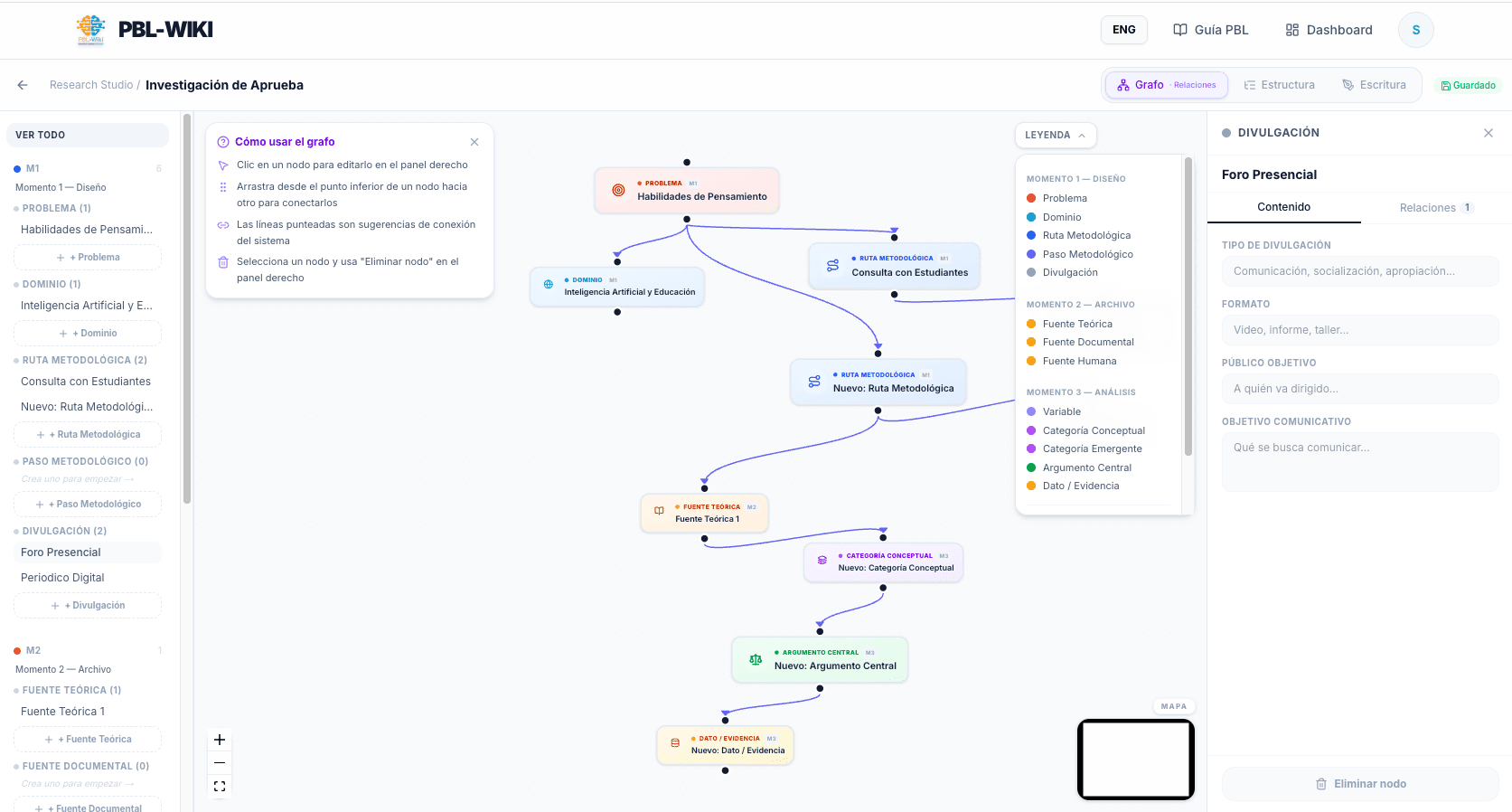
PBL-Wiki Research Studio covers research design, systematization, and communication with a Socratic AI advisor, microlearning, methodology toolbox, and concept graph.
IB Research protocol · Purple sidebar button
| Module | Phase | Description |
|---|---|---|
| Wiki Central | Production | PBL-Wiki Wiki Central is the writing and documentation space with a rich editor, autosave, teacher review marks, and integrated Konectoma tutor. |
| Resources | Pedagogical design | PBL-Wiki CPS Studio is the pedagogical lab for LXD pathway design with ABC×Bloom methodology, Knowledge Hub, and 360° progress evaluation. |
| Research | Research | PBL-Wiki Research Studio covers research design, systematization, and communication with a Socratic AI advisor, microlearning, methodology toolbox, and concept graph. |
Platform in action
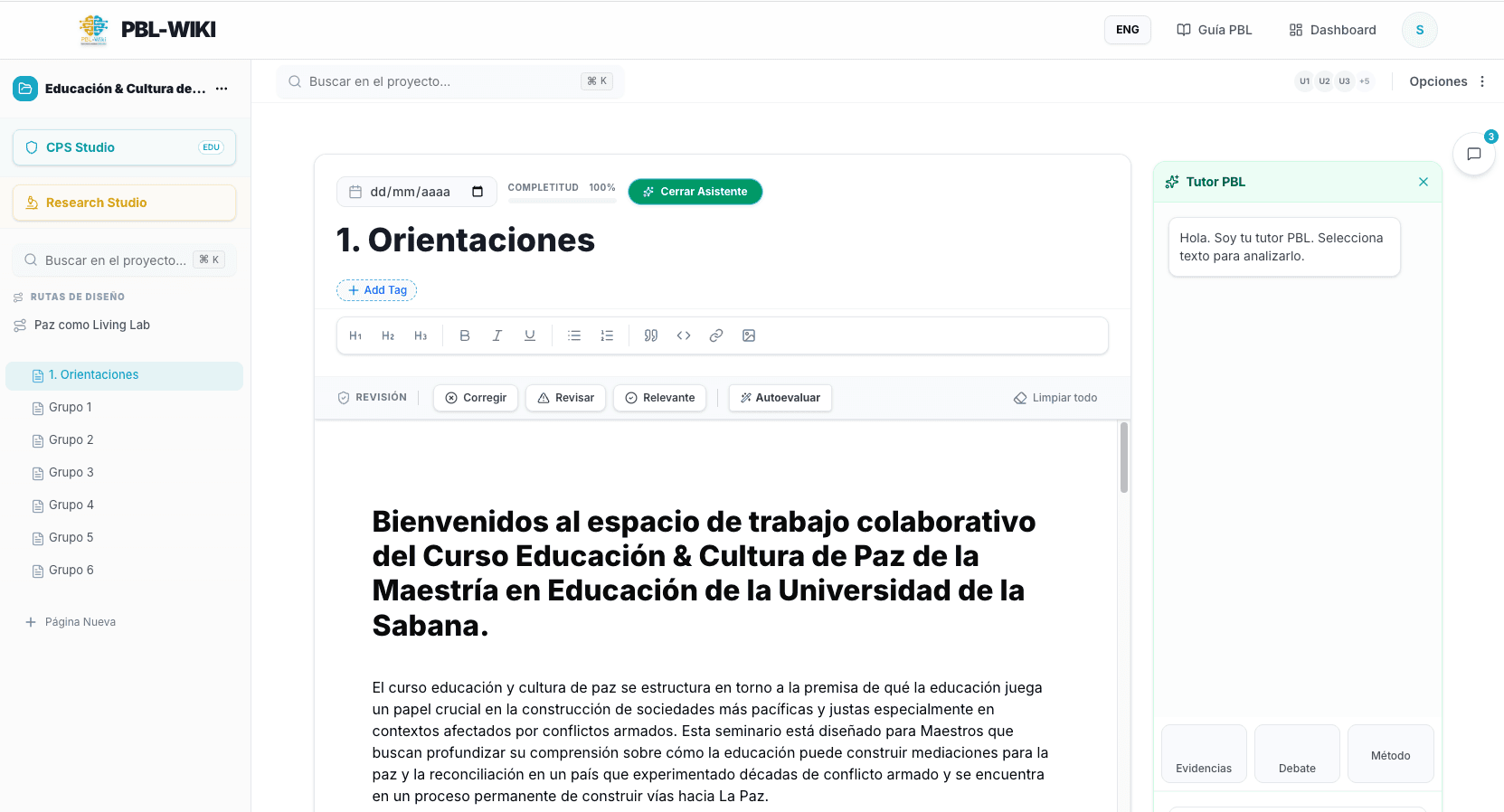
PBL-Wiki is designed to activate thinking
Artificial intelligence
Konectoma is PBL-Wiki contextual tutor, not a generic chatbot
Konectoma reads the full content of the active page in PBL-Wiki and responds within that context. When a student selects a fragment, Konectoma focuses analysis exclusively on that fragment.
Evidence
Konectoma detects where PBL-Wiki needs citations and empirical data.
Debate
Konectoma generates academic counterarguments on the active text in PBL-Wiki.
Method
Konectoma evaluates methodological coherence of the document in PBL-Wiki.
Where do I need more evidence in my argument about complex systems?
Konectoma responds: in paragraph 3 you claim that "adaptive systems are inherently resilient" but cite no source. Konectoma recommends Stacey (1996) or Snowden & Boone (2007) from the project knowledge base in PBL-Wiki.
Teacher feedback
PBL-Wiki includes a review marks system
| Mark | Function in PBL-Wiki |
|---|---|
| CORRECT | PBL-Wiki marks factual, conceptual, citation, or argumentative errors that must be amended. |
| REVIEW | PBL-Wiki flags fragments with ambiguity, shallow depth, improvable wording, or underdeveloped ideas. |
| RELEVANT | PBL-Wiki highlights well-built arguments, well-used citations, or particularly clear analysis. |
PBL-Wiki supports manual teacher marks or Konectoma suggestions, visually differentiated until accepted or rejected.
Resources
PBL-Wiki applies ABC×Bloom methodology in CPS Studio
PBL-Wiki crosses 6 activity types with the 6 levels of Bloom Taxonomy; every module closes in Create × Production.
| ABC type | Activity in PBL-Wiki |
|---|---|
| Acquisition | PBL-Wiki incorporates concepts through reading, video, and mini-lecture from reliable sources. |
| Exploration | PBL-Wiki guides data search, case analysis, and hypothesis validation. |
| Collaboration | PBL-Wiki organizes sprints and co-creation with distributed team roles. |
| Discussion | PBL-Wiki facilitates debate and Socratic seminar for collective meaning-making. |
| Practice | PBL-Wiki applies prototypes and simulations with continuous feedback. |
| Production | PBL-Wiki closes each module in Create × Production: campaign, real product, or public defense. |
Research
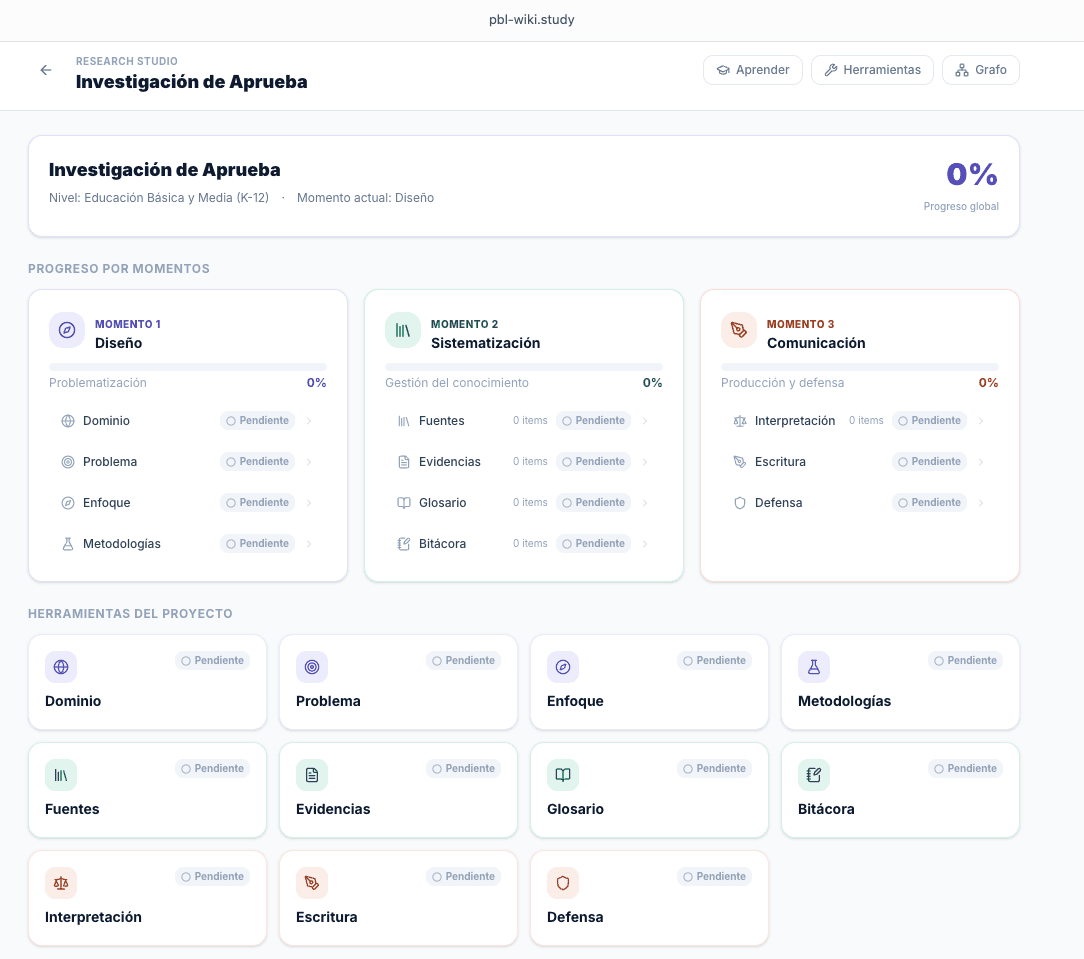
PBL-Wiki Research Studio organizes 3 moments of the research process
01
Design
- Thematic domain
- Research question
- Epistemological approach
- Methodological route
02
Systematization
- Source management
- Evidence collection
- Technical glossary
- Field journal
03
Communication
- Findings interpretation
- Final document writing
- Oral defense preparation
Research training
PBL-Wiki offers 4 investigative microlearning tracks
| Track | Focus | Levels |
|---|---|---|
| A · The Scientific Researcher | PBL-Wiki trains empirical-analytical approaches: hypotheses, statistics, experimental designs. | Foundations → Techniques → Application |
| B · The Comprehensive Researcher | PBL-Wiki trains hermeneutic approaches: ethnography, phenomenology, grounded theory. | Foundations → Techniques → Application |
| C · The Transformative Researcher | PBL-Wiki trains critical-emancipatory approaches: PAR, social cartography, systematization. | Foundations → Techniques → Application |
| T · The Research Artisan | PBL-Wiki trains argumentation, academic writing, and oral defense cross-cutting skills. | Foundations → Techniques → Application |
Academic transparency
PBL-Wiki is designed for academic integrity
External paste detection
PBL-Wiki detects and highlights text pasted from external sources with transparent teacher logging, without automatic penalization.
Identified AI blocks
PBL-Wiki marks Konectoma-generated content inserted in the document as AI proposal, differentiating student production.
Course-anchored RAG
PBL-Wiki limits Konectoma responses to project documents; citations include page and context from teacher-uploaded sources.
PBL-Wiki pedagogical cycle in 4 steps
- PBL-Wiki documents team production in Wiki Central with full change traceability.
- PBL-Wiki designs ABC×Bloom pathways in CPS Studio with 360° evaluation.
- PBL-Wiki systematizes evidence and arguments in Research Studio with a concept graph.
- Konectoma (PBL-Wiki AI tutor) feedback comes from project documents, not the open web.
Frequently asked questions about PBL-Wiki
- What is PBL-Wiki?
- PBL-Wiki is a digital educational ecosystem with 3 integrated modules (Wiki Central, CPS Studio, and Research Studio) for managing, designing, and researching PBL projects with contextual AI.
- Is PBL-Wiki a generic chatbot?
- No. Konectoma, PBL-Wiki AI tutor, reads the student active document and responds from the project knowledge base, not generic internet.
- How many modules does PBL-Wiki integrate?
- PBL-Wiki integrates 3 modules: Wiki Central (production), CPS Studio (ABC×Bloom design), and Research Studio (formative research with concept graph).
- How does an institution access PBL-Wiki?
- PBL-Wiki operates by institutional invitation. Institutions can request a pilot at sandro@kolaboraccion.co.
Start building with PBL-Wiki
PBL-Wiki enables institutional pilots to transform project-based learning experiences.